HMO Register: What UK Landlords Need to Know in 2026
When you apply for a licence to operate a House in Multiple Occupation, your details become part of an official record maintained by your local council. This HMO register is a public document that anyone can access, designed to promote transparency and help tenants verify whether their landlord has met their legal obligations. Understanding what appears on these registers, who can view them, and how they affect your property business is essential for every HMO landlord operating in England and Wales today.
What Is an HMO Register
An HMO register is a publicly accessible list maintained by local housing authorities that records all licensed Houses in Multiple Occupation within their jurisdiction. Councils are legally required to keep these registers up to date and make them available for public inspection. The register serves multiple purposes: it demonstrates which properties have been granted mandatory or additional licensing, provides transparency about who operates HMOs in the area, and allows prospective tenants to verify a property's licensed status before signing a tenancy agreement.
Legal Basis for Public Registers
The requirement for councils to maintain an hmo register stems from the Housing Act 2004 and subsequent regulations. Licensing reform guidance for local housing authorities sets out how councils must publish information about licensed properties. This transparency framework ensures that enforcement is visible and that tenants can make informed decisions about where they live.
The statutory framework deliberately makes licensing information public. Unlike some regulatory systems that keep compliance records internal, HMO licensing operates on the principle that public access to licence details benefits everyone: tenants gain reassurance, responsible landlords can demonstrate their compliance, and enforcement becomes more effective when communities can identify unlicensed properties.

What Information Appears on the HMO Register
The content of each council's hmo register varies slightly, but certain core details must appear according to government guidance. Understanding what information becomes public helps you prepare your application and manage your professional reputation as a licensed landlord.
Mandatory Information
Every HMO register typically includes:
- Property address: The full address of the licensed HMO, making it identifiable to tenants and neighbours
- Licence holder's name: Your name (or company name if you hold the licence through a limited company)
- Licence start and end dates: The period during which the licence remains valid
- Maximum permitted occupancy: The number of persons and/or households allowed to occupy the property
- Licence reference number: A unique identifier for tracking and verification
| Information Type | Why It's Published | Who Uses It |
|---|---|---|
| Property address | Identifies licensed properties | Prospective tenants, neighbours, enforcement officers |
| Licence holder name | Establishes accountability | Tenants seeking verification, other landlords |
| Maximum occupancy | Ensures safe occupation limits | Tenants, fire services, planning officers |
| Licence dates | Shows current validity | Mortgage lenders, insurance providers, tenants |
Additional Details Some Councils Include
Beyond the mandatory elements, many local authorities publish further information on their registers. Some councils list the managing agent's name if one is appointed, details of any licence conditions imposed, or notes about previous enforcement history. A few authorities include contact information for the licence holder, though this practice varies considerably across England and Wales.
The variation between councils reflects the balance each authority strikes between transparency and data protection. Whilst licensing information is public by law, councils must still comply with data protection requirements when deciding exactly what to publish and in what format.
How to Check the HMO Register
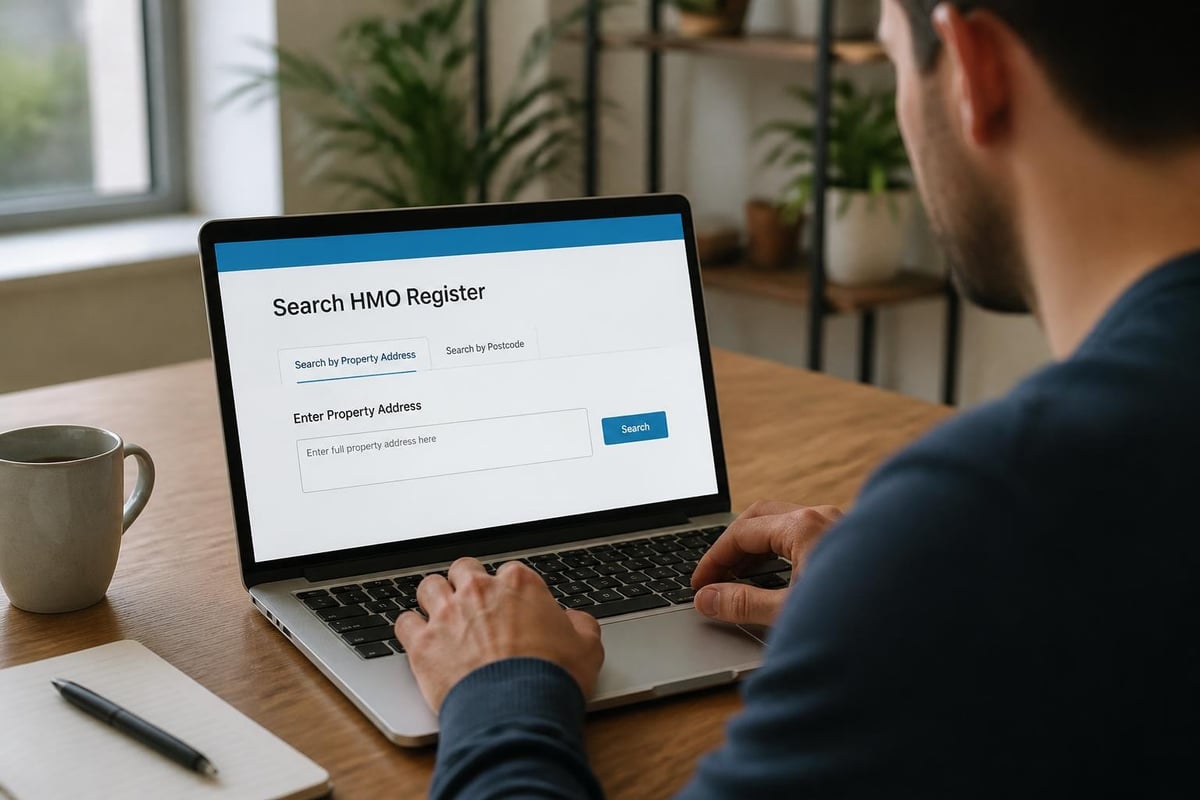
Most local authorities now maintain their HMO register online, making it straightforward to search for properties or verify your own listing. The process typically involves visiting your council's website and navigating to their private sector housing or licensing section.
Online Search Methods
Direct council website search: The most reliable method involves going directly to your local authority's website. Search for "HMO register" or "property licensing register" along with your council's name. Many councils provide searchable databases where you can look up properties by postcode or street name.
Telephone or email requests: If your council hasn't digitised their register, you can request information by telephone or email. Some authorities still maintain paper-based registers available for inspection at council offices during business hours.
Freedom of Information requests: In rare cases where a council hasn't published their register accessibly, you can submit a Freedom of Information request. This shouldn't normally be necessary, as councils have a statutory duty to make licensing information available without requiring formal requests.
Why Your Property Appears on the Register
Your HMO appears on the public register because you've successfully obtained a licence from the local authority. This is actually a positive indicator: it demonstrates you've met the necessary standards and committed to managing your property responsibly.
Mandatory Licensing Properties
If your property falls under mandatory HMO licensing rules, it must be licensed and will therefore appear on the register. Mandatory licensing applies to properties with five or more people forming more than one household, occupying at least three storeys. These properties require a licence regardless of where they're located in England or Wales.
Additional and Selective Licensing
Your property may also appear on the hmo register if your council has introduced additional or selective licensing schemes. Additional licensing extends HMO licensing requirements to smaller HMOs or specific property types beyond mandatory thresholds. Selective licensing can apply to all private rented properties in designated areas, meaning even properties that aren't HMOs might appear on similar registers.
Understanding which licensing scheme applies to your property helps you interpret your register entry correctly. HMO licence requirements differ depending on whether you're dealing with mandatory, additional, or selective licensing, though all types result in a public record.
Privacy Considerations and Data Protection
Whilst the hmo register is public, legitimate concerns about privacy and data security arise when your personal details appear online. The law balances transparency requirements against individual privacy rights, though as a landlord you should understand that licensing information is specifically exempted from certain data protection restrictions.
What's Protected and What Isn't
Your name and the property address must be published as they're essential to the licensing system's transparency objectives. However, councils shouldn't publish your personal home address (unless it's the same as the licensed property), personal telephone numbers, or other private contact details beyond what's necessary for the register's purpose.
Some landlords choose to hold licences through limited companies partly to keep their personal names off public registers. If you operate as a company, the company name appears on the register rather than your individual name, providing a degree of separation between your personal identity and your business activities.
Correcting Register Errors
If you spot incorrect information on your council's hmo register, contact their licensing team promptly. Common errors include misspelt names, wrong property addresses, or outdated licence dates. Councils should correct genuine mistakes within a reasonable timeframe, as inaccurate registers undermine the system's credibility and could cause problems if lenders or insurers check your licence status.
Using the Register to Verify Compliance
The public nature of the hmo register creates opportunities for landlords to demonstrate their professionalism. When marketing your property, you can reference your licence status and invite prospective tenants to verify it on the council register. This transparency builds trust and differentiates compliant landlords from those operating without proper authorisation.
Benefits for Compliant Landlords
Being listed on the register offers several advantages:
- Professional credibility: Demonstrates you meet regulatory standards
- Tenant confidence: Helps tenants verify they're renting from a licensed operator
- Mortgage compliance: Lenders can confirm you hold necessary licences
- Insurance validation: Insurers may require evidence of licensing for HMO policies
The register essentially provides independent verification of your compliance status. Rather than viewing it as an invasion of privacy, consider it documentation of your commitment to running a properly licensed HMO business.
Mortgage Lenders and Register Checks
Many specialist HMO mortgage lenders now routinely check council registers before approving finance. They want assurance that properties they're lending against hold valid licences and comply with local regulations. Your presence on the register makes this verification straightforward and can speed up mortgage applications or renewals.
Register Entries for Temporary Licences
Some councils issue temporary licences whilst they assess a property or when the landlord is addressing compliance issues. These temporary licences appear on the hmo register just like standard licences, but the entry should clearly indicate the temporary nature and any conditions attached.
What Temporary Listing Means
A temporary licence listing doesn't necessarily indicate problems with your property. Councils sometimes issue temporary licences while:
- Processing complex applications requiring additional checks
- Monitoring completion of agreed improvement works
- Reviewing new licensing schemes in their early phases
- Assessing first-time applicants with limited track records
The key is ensuring your register entry accurately reflects your licence type. If you've completed required works and should have a full licence, follow up with the council to update your status and register entry.
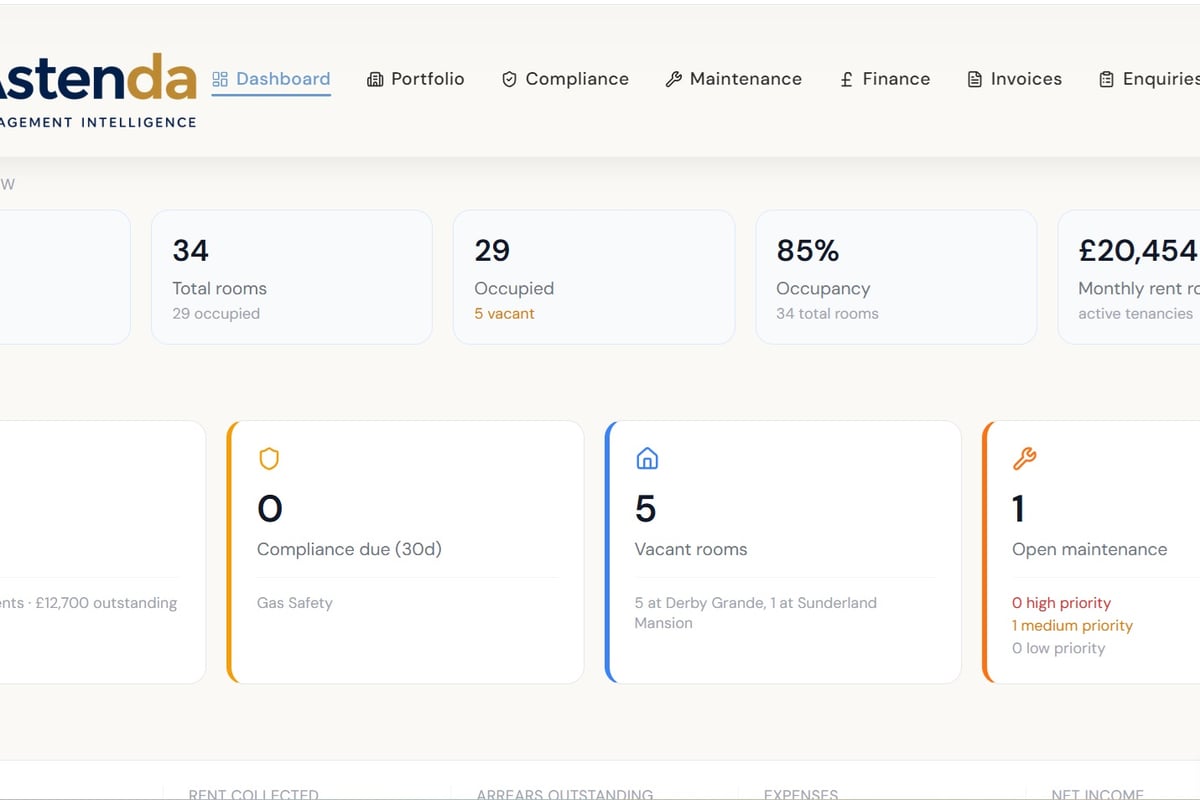
Managing HMO compliance involves tracking multiple deadlines, certificates, and licence conditions. A comprehensive system that monitors compliance dates and generates alerts ensures you never miss a renewal deadline, keeping your register entry current and avoiding gaps in licensing coverage.
Consequences of Not Being on the Register
Operating a licensable HMO without appearing on the council's register indicates you're running an unlicensed property. This exposes you to significant legal and financial risks that can seriously damage your property business.
Enforcement and Penalties
Local authorities actively enforce licensing requirements, and the public register helps them identify unlicensed properties. If your property should be licensed but isn't listed on the register:
- You're committing a criminal offence
- The council can prosecute or issue civil penalties
- You cannot serve valid notices on tenants
- You may be required to repay rent to tenants
- Your professional reputation suffers damage
The register makes enforcement visible and systematic. Councils can easily identify which properties in their area lack licences by comparing their register against council tax records, planning applications, and other data sources.
Tenant Protections and Rent Repayment
Tenants living in unlicensed HMOs can apply for Rent Repayment Orders, potentially recovering up to twelve months' rent. The public nature of the hmo register makes it straightforward for tenants to check whether their landlord holds a valid licence. If your property doesn't appear on the register when it should, tenants have clear evidence to support a rent repayment application.
Keeping Your Register Entry Current
Your responsibility doesn't end once your property appears on the register. Licences expire, circumstances change, and you must ensure your register entry remains accurate throughout your licence period and beyond.
Licence Renewal and Register Updates
HMO licences typically run for up to five years. As your renewal date approaches, you need to submit a fresh application. Most councils update their registers promptly when renewing licences, but check your entry after renewal to confirm:
- New licence dates are correctly shown
- Any changes to maximum occupancy are reflected
- Updated contact details appear if you've changed managing agents
- Previous licence is marked as expired or replaced
Reporting Changes During the Licence Period
Certain changes must be reported to the council even mid-licence, and these may affect your register entry:
Change of managing agent: If you appoint or change managing agents, inform the council so they can update contact details if these appear on the register.
Property alterations: Significant works that affect room numbers or layouts may require licence variations, which should be reflected in updated register information.
Ownership transfer: If you sell a licensed HMO, the new owner needs to apply for a new licence. The register should be updated to remove your entry and add the new owner's details once their licence is granted.
Multiple Properties and Register Management
Landlords with several HMOs must manage multiple register entries across potentially different councils. This administrative burden increases with portfolio size, making systematic tracking essential.
Cross-Council Compliance
If your properties span multiple local authority areas, you'll appear on several different HMO registers. Each council maintains its own register format and update schedule:
| Challenge | Solution |
|---|---|
| Different renewal dates | Maintain a central calendar tracking all licence expiry dates |
| Varying application requirements | Keep council-specific documentation folders organised |
| Multiple contact points | Record key contacts at each licensing team |
| Inconsistent register formats | Regularly verify your entries across all relevant councils |
Certificate management becomes particularly important when operating multiple HMOs, as each property requires up-to-date safety certificates that councils verify during licensing. Coordinating renewals across properties and councils demands robust systems.
Portfolio-Wide Compliance Monitoring
Landlords managing multiple HMOs benefit from centralised systems that track all licensing obligations, renewal dates, and compliance requirements in one place. Rather than manually checking multiple council registers, a comprehensive approach ensures you spot upcoming renewals early and maintain consistent standards across your portfolio.
For landlords managing several properties, tracking which licences are current, when renewals fall due, and ensuring all register entries remain accurate requires a systematic approach that goes beyond spreadsheets and calendar reminders.
Register Information and Planning Permission
Your HMO register entry doesn't automatically confirm planning compliance. Licensing and planning are separate regulatory frameworks, though both may apply to your property. Some landlords are surprised to discover their property holds a valid HMO licence and appears on the council register, yet still requires planning permission for HMO use.
Two Separate Permissions
Licensing: Confirms the property meets management and safety standards for HMO use Planning: Determines whether the property can lawfully be used as an HMO in that location
The hmo register shows licensing status only. If planning enforcement investigates your property, they won't simply check the licensing register and assume planning permission exists. You need to maintain both permissions independently, and neither automatically grants the other.
Using Register Data for Market Research
Beyond compliance verification, the HMO register provides valuable market intelligence for landlords considering expanding their portfolios or entering new areas. Analysing register data reveals which parts of your council area have concentrations of licensed HMOs, suggesting strong rental demand and established HMO markets.
Competitive Intelligence
Studying your local register shows:
- How many HMOs operate in specific postcodes
- Which landlords hold multiple licences (indicating professional operators)
- Typical maximum occupancy figures for different property types
- Whether certain streets have particularly high HMO concentrations
This information helps you identify promising acquisition opportunities and understand the competitive landscape before purchasing additional properties. Areas with established HMO markets typically offer better infrastructure, more experienced local contractors, and tenant pools familiar with HMO living.
Future Developments in Register Technology
Many councils are modernising their HMO register systems, moving from basic PDF lists to searchable databases with mapping interfaces. These technological improvements make registers more accessible and useful for all stakeholders.
Expected Improvements
Interactive mapping: Some progressive councils now offer map-based register searches, showing licensed HMOs geographically rather than as text lists. This visualisation helps identify clusters and makes area-based searches intuitive.
Real-time updates: Modern register systems update automatically when licences are granted, renewed, or expire, ensuring information remains current without delays.
Integration with other data: Advanced systems might link register entries to planning records, enforcement histories, or energy performance certificate databases, providing comprehensive property information in one place.
Mobile accessibility: Responsive designs ensure registers work effectively on smartphones and tablets, meeting user expectations for accessible public information.
As councils invest in digital infrastructure, expect HMO registers to become more user-friendly and informative over the coming years.
Common Questions About Register Entries
Can I request my details be removed from the register? No. If you hold an HMO licence, your details must appear on the public register by law. This isn't optional, and councils cannot grant exemptions for privacy preferences.
What happens to my register entry when my licence expires? Practices vary between councils. Some maintain expired licences on the register with clear "expired" status markers, whilst others remove them after a certain period. Check your council's approach and ensure you renew before expiry to avoid gaps.
Can mortgage lenders access the register? Yes. The register is public, meaning lenders, insurers, tenants, and anyone else can view it. Many specialist HMO lenders routinely check registers during application processes.
Do all councils use the same register format? No. Whilst core information is consistent, presentation and accessibility vary considerably. Some councils offer sophisticated online databases, others provide downloadable PDFs, and a few still require in-person inspection of paper records.
If my property doesn't need licensing, will it appear on the register? No. Only licensed properties appear on HMO registers. If your property falls outside licensing requirements (for example, it houses fewer than five people or doesn't meet the mandatory criteria), it won't be listed.
Understanding the HMO register and ensuring your properties appear correctly with current licence information forms part of professional HMO management alongside rent collection, maintenance, and compliance tracking. Astenda helps landlords manage all these elements in one system, with compliance alerts, certificate tracking, and portfolio-wide oversight that ensures you never miss a renewal deadline. Explore how Astenda can simplify your HMO management and keep your licensing obligations on track.
Get a live view of your whole property portfolio.
Start your 30-day free trialGeneral information only. This is not legal, tax or financial advice. Rules change and vary by council, so check GOV.UK or take professional advice.