Making Tax Digital Landlord: Complete Guide for 2026
Making Tax Digital represents one of the most significant changes to landlord tax administration in decades. For private landlords managing HMOs and small portfolios, understanding this transition has become essential for staying compliant and avoiding penalties. The making tax digital landlord requirements mean moving away from annual Self Assessment paper returns towards quarterly digital updates and HMRC-recognised software.
What Making Tax Digital Means for Landlords
Making Tax Digital for Income Tax Self Assessment (MTD ITSA) fundamentally changes how landlords report rental income and expenses to HMRC. Rather than submitting a single annual tax return each January, landlords must maintain digital records and submit quarterly summaries throughout the tax year.
The system requires compatible software that can connect directly with HMRC's systems. This marks a departure from traditional spreadsheets, paper ledgers or shoebox receipts that many landlords have relied upon for years. HMRC's Making Tax Digital for Income Tax guidance sets out the official requirements and timeline.
Who Must Join and When
Not every landlord faces the same timeline for making tax digital landlord compliance. HMRC has introduced the requirements in phases based on total income levels.
Current phase requirements:
- Landlords with gross income above certain thresholds must join first
- Smaller landlords follow in subsequent years
- Income includes all sources, not just property
- Partnership income and sole trader income count towards thresholds
The Chartered Institute of Taxation provides technical analysis of these phases and exemptions. HMO landlords with multiple properties often cross income thresholds earlier than single-property owners, making early preparation crucial.

Digital Record-Keeping Requirements
Making tax digital landlord obligations begin with how you maintain your financial records. HMRC requires digital records for all income and expenses related to your property business.
What Counts as Digital Records
Digital records must be kept in electronic format using software or a digital tool. This includes:
- Rental income received from each property
- Allowable expenses such as repairs, insurance and letting fees
- Capital expenditure and improvement costs
- Mortgage interest and finance costs
- Dates of transactions and payment methods
Handwritten notes or paper receipts alone no longer satisfy the requirements. You must capture this information digitally, though you can photograph or scan physical receipts as supporting evidence.
The records must be preserved digitally and be capable of producing the quarterly summaries HMRC requires. Many landlords managing HMO licence requirements already keep detailed records for compliance purposes, which provides a solid foundation for MTD.
Digital Links and Data Transfer
A crucial making tax digital landlord requirement involves "digital links" between software products. If you use multiple tools-such as a spreadsheet for expenses and separate software for HMRC submissions-the data transfer between them must happen digitally.
Manual typing or copy-pasting breaks the digital link. The ICAEW guidance on software for Making Tax Digital explains these technical requirements in detail. Acceptable digital links include:
| Transfer Method | Acceptable? | Notes |
|---|---|---|
| Automated API | Yes | Best practice |
| File import/export | Yes | CSV, XML formats |
| Copy and paste | No | Breaks digital chain |
| Manual re-typing | No | Not permitted |
| Email attachment | Conditional | Depends on automation |
This requirement often surprises landlords who have used spreadsheets for years. You can continue using spreadsheets, but they must connect digitally to your MTD submission software.
Quarterly Update Obligations
The making tax digital landlord system requires four quarterly updates each tax year, plus a final declaration. This replaces the single annual Self Assessment return landlords complete by January.
What Goes in Each Update
Each quarterly update summarises your property business income and expenses for that period. You're not calculating your final tax bill-that happens at year end-but providing regular snapshots to HMRC.
Typical quarterly update contents:
- Total rental income received
- Allowable expenses paid
- Property business losses brought forward
- Other income sources if applicable
The updates don't require supporting documentation or receipts, but you must maintain digital records backing up every figure. HMRC can request evidence during compliance checks.
For HMO landlords with multiple tenants and frequent rent collection, quarterly updates can actually improve financial visibility. Rather than scrambling once yearly, you review your figures regularly throughout the year.
Submission Deadlines
Updates must reach HMRC within a calendar month after each quarter end. The standard quarters align with the tax year starting in April, though different accounting periods may apply for established businesses.
Missing a quarterly deadline triggers penalties. The Making Tax Digital landlords deadline requirements explain the penalty regime and grace periods available.

Choosing Software for Making Tax Digital
Selecting appropriate software represents the biggest practical decision for making tax digital landlord compliance. The software must be HMRC-recognised and capable of submitting quarterly updates directly.
Essential Software Features
Your chosen software needs specific capabilities beyond basic bookkeeping:
- HMRC recognition for MTD ITSA submissions
- Digital record storage for income and expenses
- Quarterly update generation from your records
- API connectivity to HMRC systems
- Data preservation meeting retention requirements
HMRC maintains a software finder tool showing which products have gained recognition. The ICAEW reported on early software availability, noting the market has expanded significantly since initial rollout.
Landlord-Specific Considerations
Not all MTD software suits landlord needs equally well. Features particularly relevant to HMO and portfolio landlords include:
- Property-by-property income and expense tracking
- Multiple tenant rent collection integration
- Mortgage interest calculations under current rules
- Capital allowance and improvement tracking
- Portfolio-level reporting and summaries
Property management platforms designed for landlords often integrate record-keeping with operational features like rent roll management and compliance tracking. This integration creates the digital links MTD requires whilst reducing duplicate data entry.
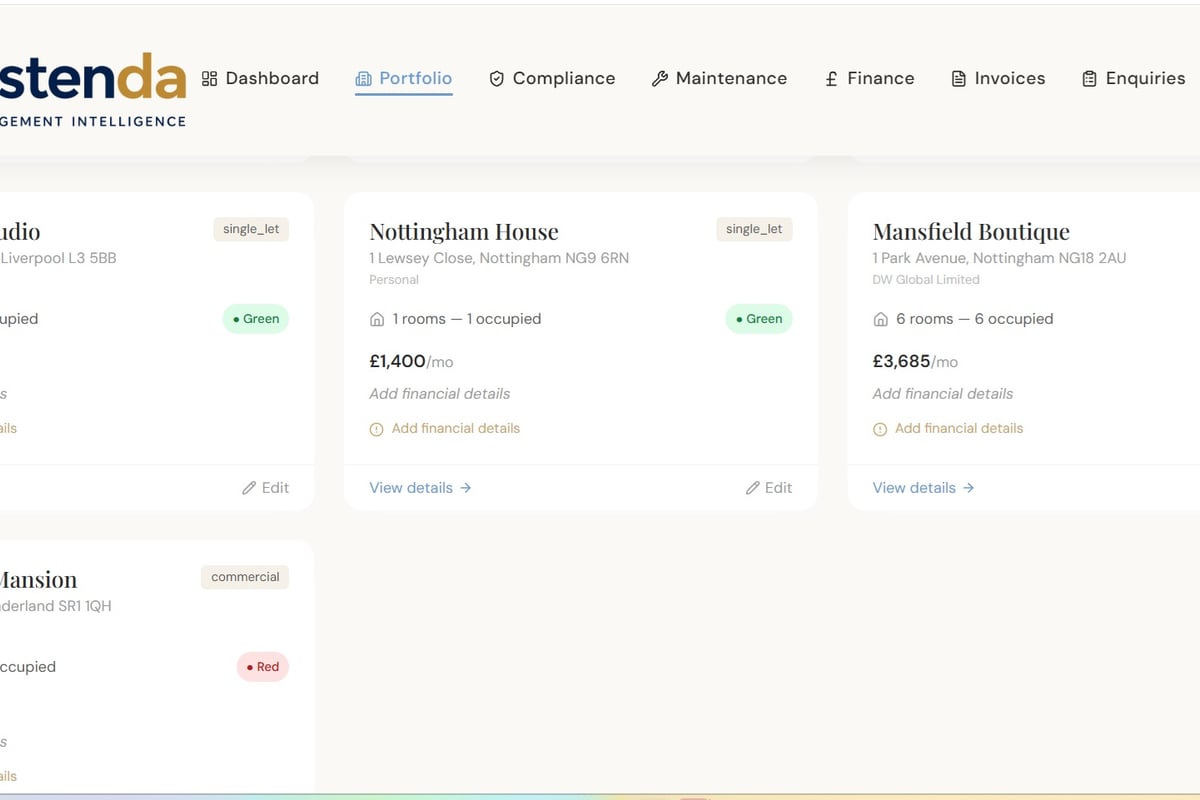
When evaluating software, landlords need HMRC-recognised tools for tax submissions. Astenda helps landlords track income, expenses and property records digitally throughout the year, making it easier to prepare the data your tax software requires.
Common Challenges and Solutions
Implementing making tax digital landlord requirements presents practical challenges, particularly for landlords managing their own properties without professional help.
Moving from Annual to Quarterly Thinking
The quarterly cycle demands more frequent attention to your financial records. Solutions include:
- Set calendar reminders for each quarter's close
- Review transactions monthly rather than waiting until quarter end
- Separate business and personal bank accounts if not already done
- Photograph receipts immediately using mobile apps
- Note cash payments on the day they occur
HMO landlords juggling multiple tenancies, certificate management and maintenance already maintain regular routines. Quarterly tax updates simply become another scheduled task.
Categorising Mixed Property Expenses
Making tax digital landlord compliance requires proper expense categorisation. Common issues include:
| Expense Type | Challenge | Solution |
|---|---|---|
| Repairs vs improvements | Tax treatment differs | Document scope before work starts |
| Mixed-use properties | Apportion personal/business | Calculate floor area percentages |
| Capital items | Separate from revenue | Tag items over threshold values |
| Mortgage interest | Finance cost restrictions | Track separately for tax relief calculation |
The Institute for Fiscal Studies analysis of tax software standards highlights how good categorisation within software reduces errors and compliance risk.
Handling Multiple Properties
Portfolio landlords face additional complexity tracking income and expenses property-by-property. HMRC doesn't require property-level breakdowns in quarterly updates, but maintaining this detail helps:
- Identify underperforming properties quickly
- Support mortgage refinancing applications with accurate figures
- Calculate capital gains when selling individual properties
- Manage partnerships where different properties have different ownership
Software with property-level tracking handles this automatically, aggregating figures for HMRC whilst preserving the underlying detail you need for decision-making.
Integration with Existing Property Management
The making tax digital landlord requirements work best when integrated into your existing property management workflow rather than treated as a separate task.
Connecting Rent Collection and Tax Records
Every rent payment a tenant makes should flow directly into your digital tax records. Modern approaches include:
- Automatic categorisation of bank transactions as rental income
- Standing order schedules that pre-populate expected income
- Arrears tracking that highlights missing payments
- Payment matching that reconciles received amounts against expected rent
This integration ensures quarterly updates reflect actual cash flow without manual reconciliation. The connection also helps identify late payments early, supporting arrears management alongside tax compliance.
Linking Maintenance and Expense Recording
When you commission rental maintenance work, the expense should immediately enter your digital records. Effective processes include:
- Obtain quotes digitally via email or software
- Photograph invoices when received
- Tag the property to which expense relates
- Categorise immediately as repair or improvement
- Note payment date when settling the bill
By capturing information at source, you avoid retrospective data entry and ensure nothing gets overlooked come quarter end.
Safety Certificates and Compliance Costs
HMO landlords incur significant compliance costs for gas safety certificates, electrical inspections, fire safety equipment and licensing. These allowable expenses must appear in your digital records.
Creating a compliance calendar that feeds into your financial software ensures:
- Certificate renewal costs are captured when paid
- Quarterly updates include all compliance spending
- You can demonstrate the costs of meeting legal standards
- Future renewals are budgeted based on historical data

End-of-Year Final Declaration
Whilst quarterly updates provide HMRC with regular snapshots, the making tax digital landlord system still requires a final declaration after the tax year ends. This is when you finalise your tax position and confirm amounts due.
What Happens at Year End
The final declaration process includes:
- Reviewing all quarterly submissions for accuracy
- Making adjustments for any errors or omissions
- Claiming additional reliefs not in quarterly updates
- Calculating final tax liability for the year
- Submitting the declaration to HMRC digitally
Think of quarterly updates as provisional figures and the final declaration as your definitive annual return. You have the opportunity to correct mistakes before finalising everything.
Claiming Reliefs and Allowances
Certain tax reliefs don't feature in quarterly updates but get claimed in the final declaration:
- Property allowance (if applicable)
- Overlap relief from earlier years
- Capital allowances on qualifying items
- Trading losses from previous years
Professional guidance from accountants becomes valuable at this stage, particularly for complex portfolios or significant capital expenditure.
Preparation Steps for Landlords
Whether you're approaching your first making tax digital landlord submission or preparing in advance, systematic preparation reduces stress and ensures compliance.
Immediate Actions
Start with these foundational steps:
- Audit current record-keeping to identify gaps
- Open dedicated bank accounts for property income if using personal accounts
- Photograph existing receipts for the current tax year
- List all properties with rental income and ownership details
- Note expected threshold dates for when you must join
Software Selection Timeline
Choosing and implementing software takes longer than many landlords expect. Allow time for:
- Researching options using HMRC's finder tool
- Trying demos or trial versions
- Importing historical data if available
- Learning the interface and workflows
- Testing quarterly update generation
- Confirming HMRC connectivity works
Rushing software selection in the month before your first deadline creates unnecessary pressure. The Tax Adviser magazine guidance for professionals emphasises early preparation.
Building Good Habits
Making tax digital landlord success depends on consistent habits:
| Frequency | Task | Benefit |
|---|---|---|
| Daily | Photograph receipts | Nothing gets lost |
| Weekly | Review bank transactions | Spot issues early |
| Monthly | Categorise all items | Quarter end is easier |
| Quarterly | Review and submit update | Stay compliant |
| Annually | Final declaration | Complete the cycle |
HMO landlords already managing planning permission considerations and licensing understand the value of systematic processes. MTD simply extends this discipline to tax record-keeping.
Working with Accountants Under MTD
Many landlords rely on accountants for tax return preparation. Making tax digital landlord requirements change this relationship but don't eliminate the need for professional help.
What Landlords Do vs What Accountants Do
The division of labour typically becomes:
Landlord responsibilities:
- Maintaining digital records throughout the year
- Submitting quarterly updates on time
- Ensuring income and expenses are captured
- Retaining digital evidence of transactions
Accountant responsibilities:
- Reviewing records for accuracy and completeness
- Advising on tax planning opportunities
- Preparing the final declaration
- Handling complex reliefs and calculations
- Representing you in HMRC queries
Some accountants submit quarterly updates on your behalf using software linked to your records. Others expect landlords to handle updates themselves, with the accountant reviewing annually.
Agent Authorisation
If your accountant will submit on your behalf, you must authorise them digitally through HMRC. This replaces the old paper 64-8 form and grants specific permissions for MTD activities.
Discuss early with your accountant:
- Who will handle quarterly submissions
- What records you'll provide and when
- How you'll share digital access
- Costs for MTD services vs traditional tax return preparation
Future Developments and Planning
The making tax digital landlord regime will continue evolving as HMRC refines the system and extends it to more taxpayers. Staying informed helps you adapt smoothly.
Likely Changes Ahead
Based on HMRC consultations and policy statements, expect:
- Extension to lower income thresholds over time
- Enhanced software capabilities and features
- Tighter integration with other HMRC systems
- Potential real-time tax calculations
- Further digitisation of supporting processes
Landlords who establish robust digital habits now will find future changes easier to accommodate than those who delay until forced to comply.
Strategic Considerations
Making tax digital landlord requirements interact with broader property business decisions:
- Portfolio growth: Adding properties affects income thresholds and system requirements
- Company structures: Limited company landlords face different MTD rules
- Partnership changes: MTD applies to partnerships with property income
- Exit planning: Digital records support accurate valuations when selling
For landlords considering limited company buy-to-let structures, the MTD implications differ from personal ownership and warrant professional advice.
Record Retention and Data Security
Making tax digital landlord obligations extend beyond quarterly submissions to how you store and protect financial data.
How Long to Keep Records
HMRC requires retention of digital records for a minimum period after the tax year ends. This includes:
- Original digital records (bank statements, invoices, receipts)
- Supporting documentation for claimed expenses
- Correspondence with HMRC
- Quarterly update confirmations
- Final declaration details
Never delete digital records until you're certain the retention period has passed and HMRC has no open enquiries.
Protecting Your Data
Digital records need protection from:
- Hardware failure (use cloud backup or external drives)
- Accidental deletion (maintain version history)
- Cyber threats (use secure passwords and two-factor authentication)
- Unauthorised access (limit who can view financial data)
Quality software providers include automatic backup and security features. When evaluating options, ask about data protection measures and disaster recovery procedures.
GDPR and Tenant Information
Your digital records will contain tenant names and potentially other personal information. As a landlord, you're a data controller under UK GDPR and must:
- Process data lawfully and transparently
- Store it securely with appropriate access controls
- Retain only as long as necessary
- Respond to subject access requests
- Notify tenants how their data is used
Most landlords already handle deposit protection and prescribed information requirements carefully. Apply similar diligence to digital financial records containing tenant details.
Exemptions and Special Cases
Not every landlord falls under standard making tax digital landlord rules. Certain circumstances create exemptions or modified requirements.
Who Can Apply for Exemption
HMRC offers exemptions for:
- Landlords unable to use digital tools due to age, disability or location
- Those with religious objections to digital record-keeping
- Certain partnerships with specific structures
- Businesses below income thresholds (though thresholds will lower over time)
Exemption applications require supporting evidence and HMRC approval. They're not automatic and shouldn't be assumed without confirmation.
Joint Ownership and Partnerships
Property owned jointly complicates making tax digital landlord compliance:
Married couples: Can elect for income to be split according to beneficial ownership rather than 50/50, but must keep records supporting the election.
Business partnerships: Formal property partnerships submit partnership returns with separate MTD requirements from individual partners' personal returns.
Informal co-ownership: Each owner maintains their own digital records for their share of income and expenses.
For landlords with partners or co-investors, clarify early who keeps which records and how you'll coordinate quarterly submissions.
Overseas Landlords
UK landlords living abroad face additional complexity. Making tax digital landlord rules still apply to UK property income, but:
- Time zone differences affect submission timing
- Software must work from overseas locations
- Tax residency rules determine overall liability
- Non-Resident Landlord Scheme interactions need consideration
Professional advice becomes essential for overseas landlords navigating MTD alongside international tax positions.
Making Tax Digital transforms how landlords maintain records and report rental income, but systematic preparation and the right tools make compliance manageable. By establishing digital habits now, you'll stay ahead of expanding requirements whilst gaining better visibility into your property business performance. Astenda helps landlords maintain comprehensive digital records across properties, tenancies and compliance, making it easier to prepare accurate data for your HMRC-recognised tax software. Get started with Astenda today to streamline your property management and tax record-keeping.
Get a live view of your whole property portfolio.
Start your 30-day free trialGeneral information only. This is not legal, tax or financial advice. Rules change and vary by council, so check GOV.UK or take professional advice.